Watch the page chart itself
There is no generate button. Change anything and the chart redraws as you look at it, each section arriving like stars coming out at dusk.
Chart your dot journal page before you ink it. Counted layouts sized to your exact notebook.
Try it out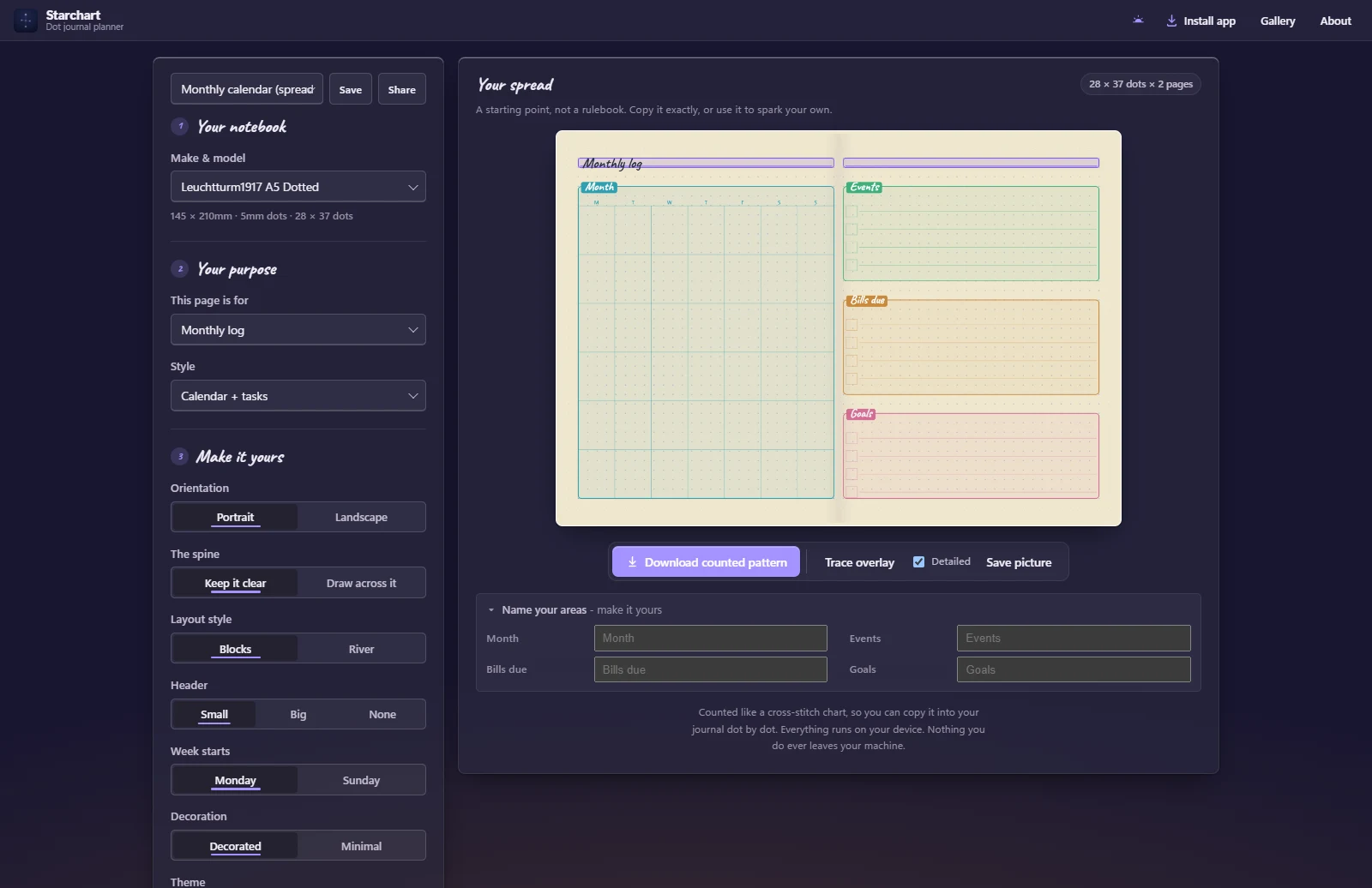
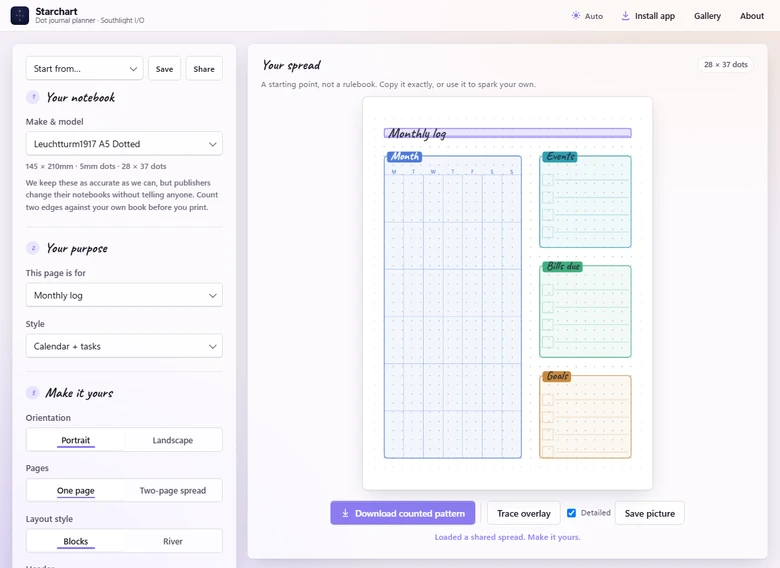
This is the whole app, and it is free. Pick your notebook, make your page in colour, and print a pattern to copy by hand. It installs like a real app, and nothing you do ever leaves your device.
Starchart treats your journal page the way a cross-stitch chart treats fabric: as a grid you can count. Every layout it draws is measured in dots, not millimetres, so what you see on screen is exactly what your pen can reproduce.
Find your notebook, say what the page is for, and tweak until it feels like yours. Then print the pattern and draw with certainty. Greatness is a choice, and it starts with a well-charted page.
Not sure where to start? Browse the gallery for ready-made spreads to open and make your own.
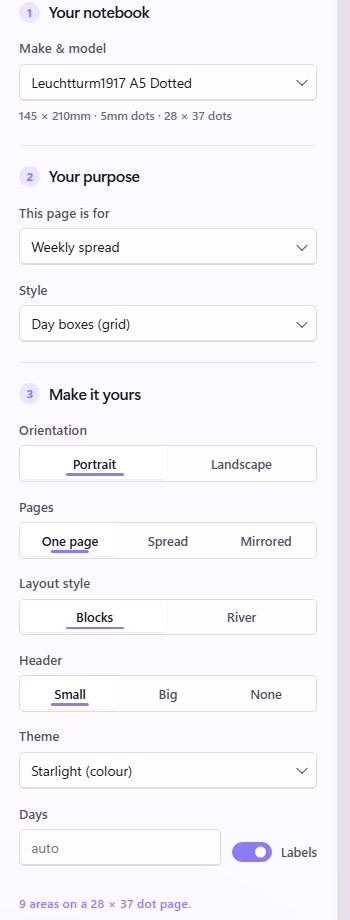
Every area takes a colour from a calm, harmonious palette and every heading is hand-lettered, so a full page reads as one considered thing rather than a jumble of boxes. Choose Starlight for colour, Bloom for warmth, or Ink for a single quiet tone, and the key becomes a real colour legend. This is data made beautiful, before you have inked a single line.
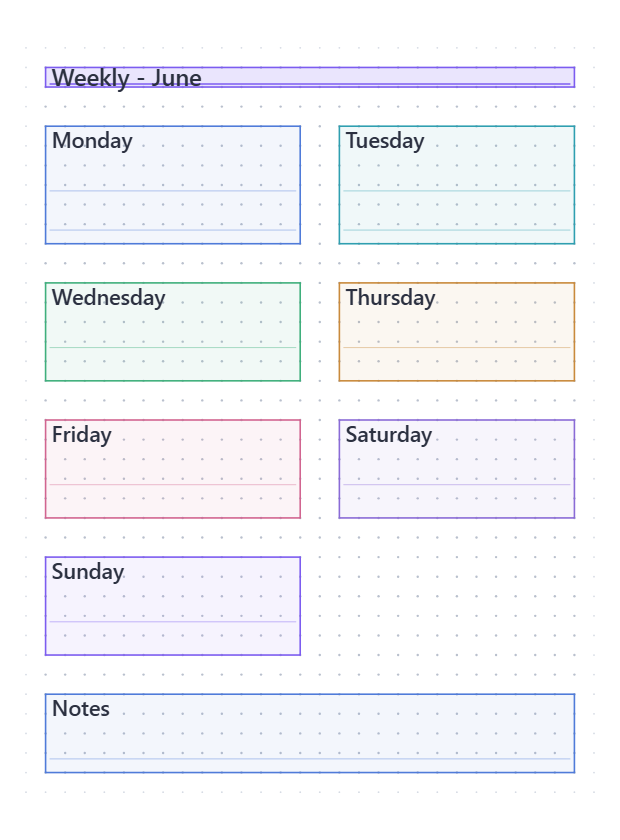
Pick your make and model and the page sizes itself. Where somebody has counted the real book, Starchart uses that count. Everywhere else the numbers are worked out from the published page size, so if yours counts differently, type the dots you actually have and it works to that instead. A custom size takes ten seconds.
The download is a counted chart, the way cross-stitchers have always worked. Rulers mark every fifth dot, and every box carries its width and height right on its edges. Print it, set it beside your journal, and copy it dot by dot.
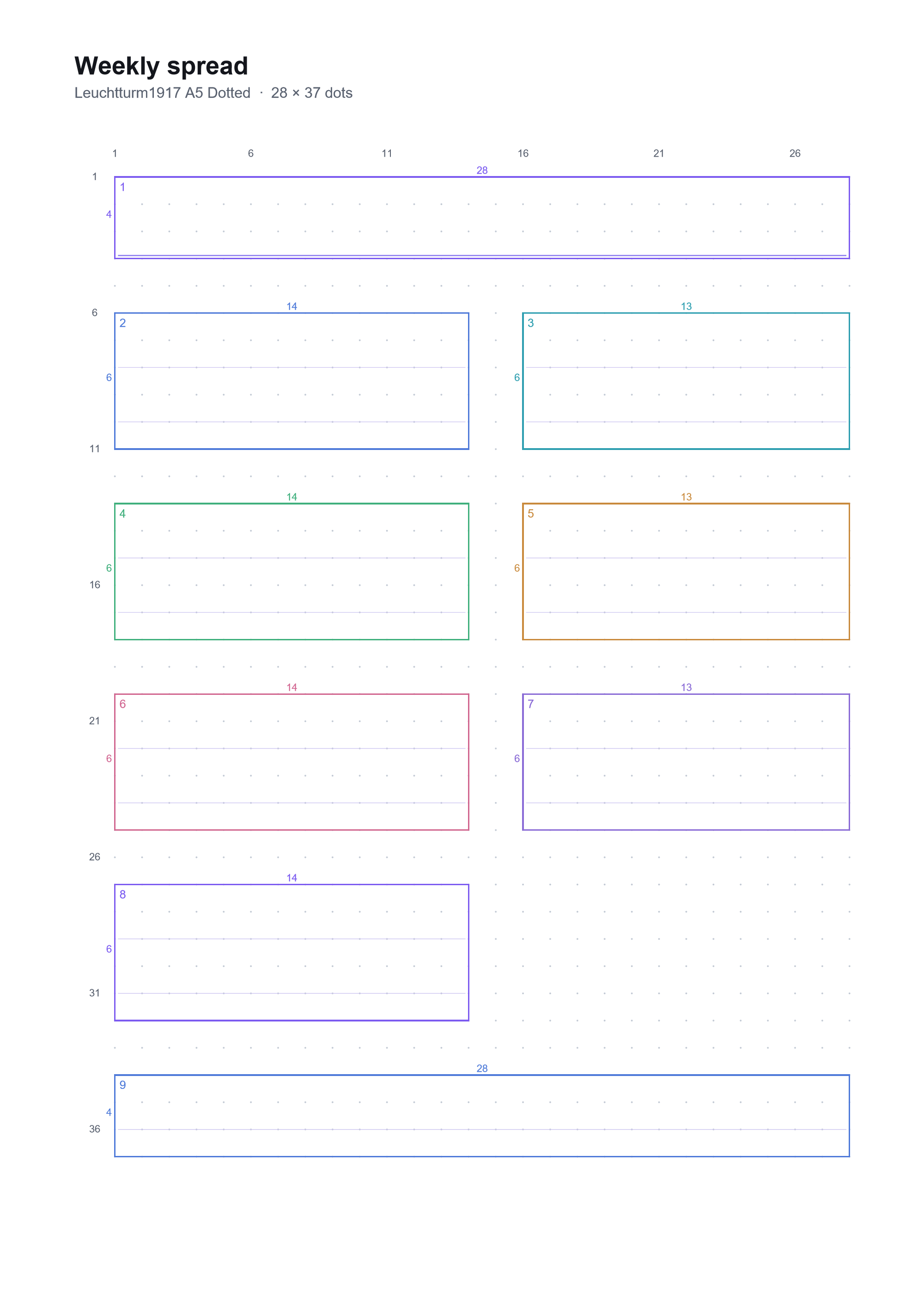
Every section, listed. Where its corner starts, counting from the top-left dot, and how many dots it spans each way. No measuring, no guessing, no ruined pages. Draw the lines and the layout lands exactly.
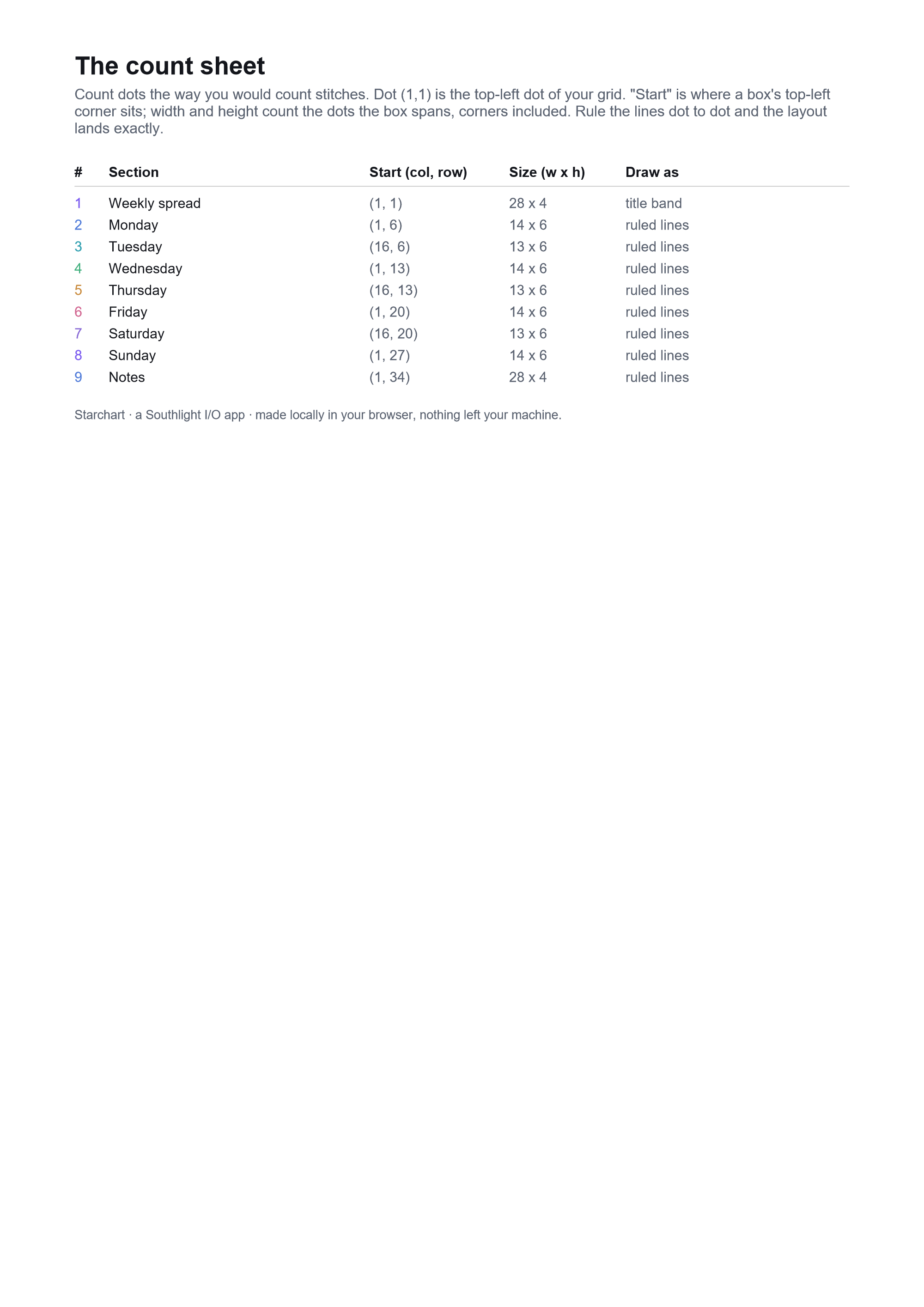
And the rest, at a glance
There is no generate button. Change anything and the chart redraws as you look at it, each section arriving like stars coming out at dusk.
Tick one box and the page fills with sample days, ticks and notes in a friendly hand, so you can picture the finished spread before you commit a single line. It is only there to help you choose. Your printed pattern always comes out blank.
The bullet-journal backbone (an index, a key, a cover page, future and monthly logs, weeklies and dailies) plus habit and mood trackers, sleep, dreams, water, fitness, meals, a bill tracker, a food log, budgets, cleaning, study, reading, gratitude, self-care and more. Pick one and make it yours.
Boxed areas with tidy gutters, or the same areas with the gutters closed, so they meet edge to edge and read as one run down the page. Two honest styles, one click apart.
A spread is not the same page printed twice. Ask for one and the layout opens out across both open pages. Most people treat the spine as a border, so Starchart keeps it clear by default, a week landing four days on the left and three on the right, or you can let a grid run right across the fold.
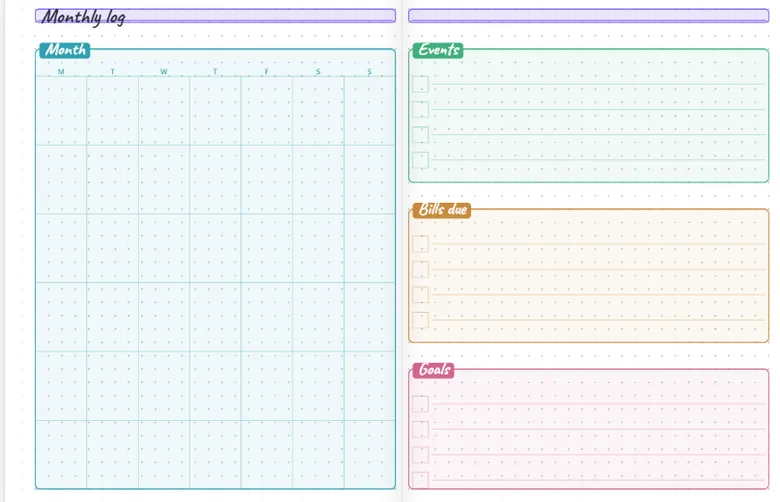
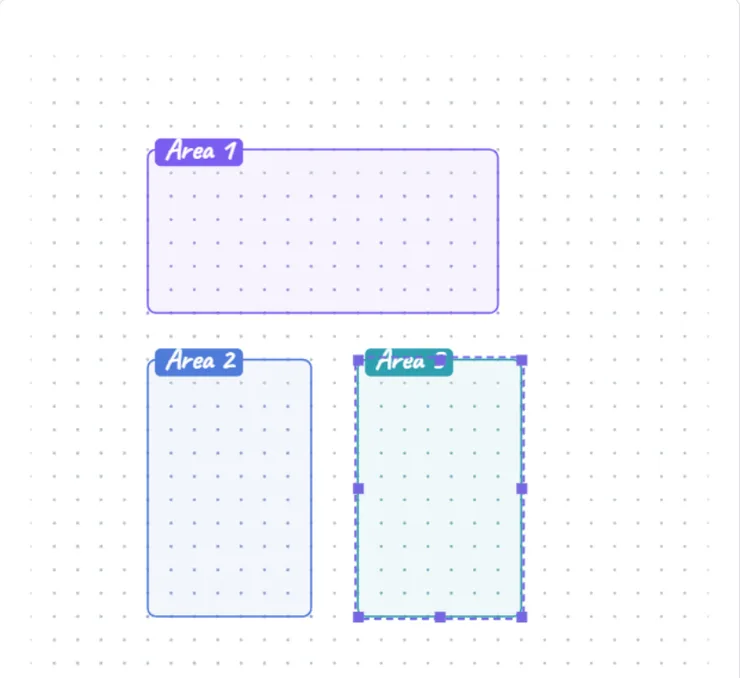
Drag boxes straight onto the dot grid and set each one to writing lines, a checklist, a tracker grid or a title. Starchart counts it for you as you go, with undo, resize and rename. It is the blank page, finally, with a safety net.
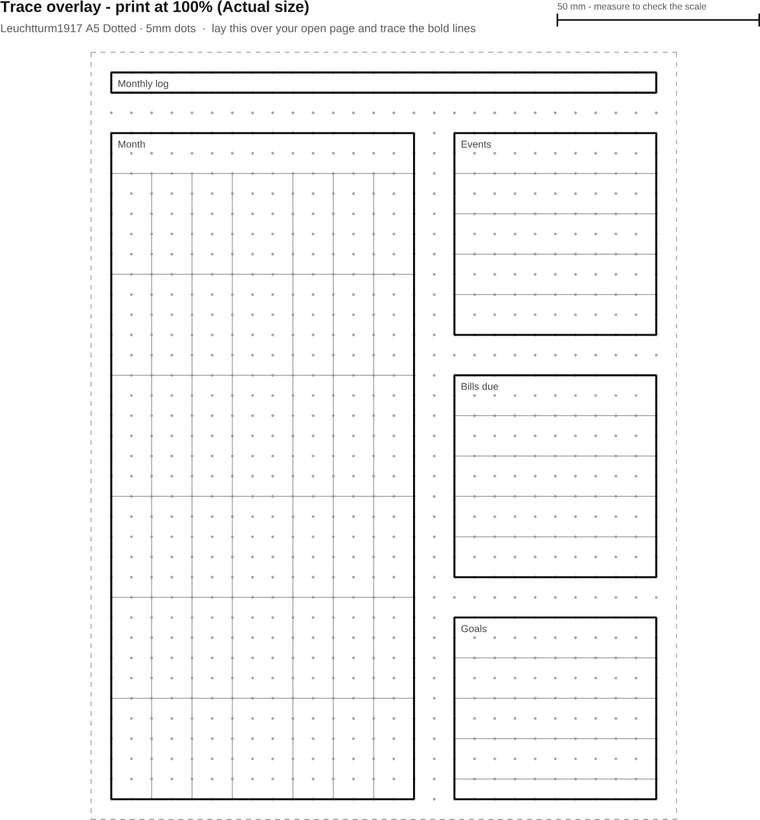
As well as the counted chart, Starchart prints a true-size overlay. Lay it over your open page, or hold it up to a window, and copy the lines straight through. It is drawn at true size and the sheet tells you to print it at 100%, Actual size, and a 50mm scale bar rides along with it, so you can measure the print yourself and know your printer behaved. A page too big for one sheet is split across several, each sharing a line of dots with its neighbour, so you line the dots up and tape. An A4 notebook traces from an A4 printer. Two honest ways to reproduce a spread by hand, whichever suits you.
Type your real habits, exercises and days straight onto the page, and they travel into the printed pattern. It stops being a template and starts being yours.
Made something you love? Copy a link and send it. It carries the whole design, with no account and no upload, just the page. Or open the gallery for ready-made spreads to start from and make your own.
Big header, small header or none. Labels on, or off for a clean unlabelled page. Any day count from one to fourteen. The everyday choices are already made, and every one of them is yours to change.
Starchart installs like a real app, right from your browser, and works with no connection at all. Charting and printing both keep going on a plane, a train, or a quiet weekend off the grid.
There is no account, no upload, and no server on the other end. The whole planner runs on your machine, so we cannot see what you make, we could not take it if we wanted to, and it is yours to keep forever, for free.
Read the privacy policy